Using the Community Section
Boards, Card of the Day, trades, showcases, polls, and Pokémon investing picks.
Boards — the discussion feed
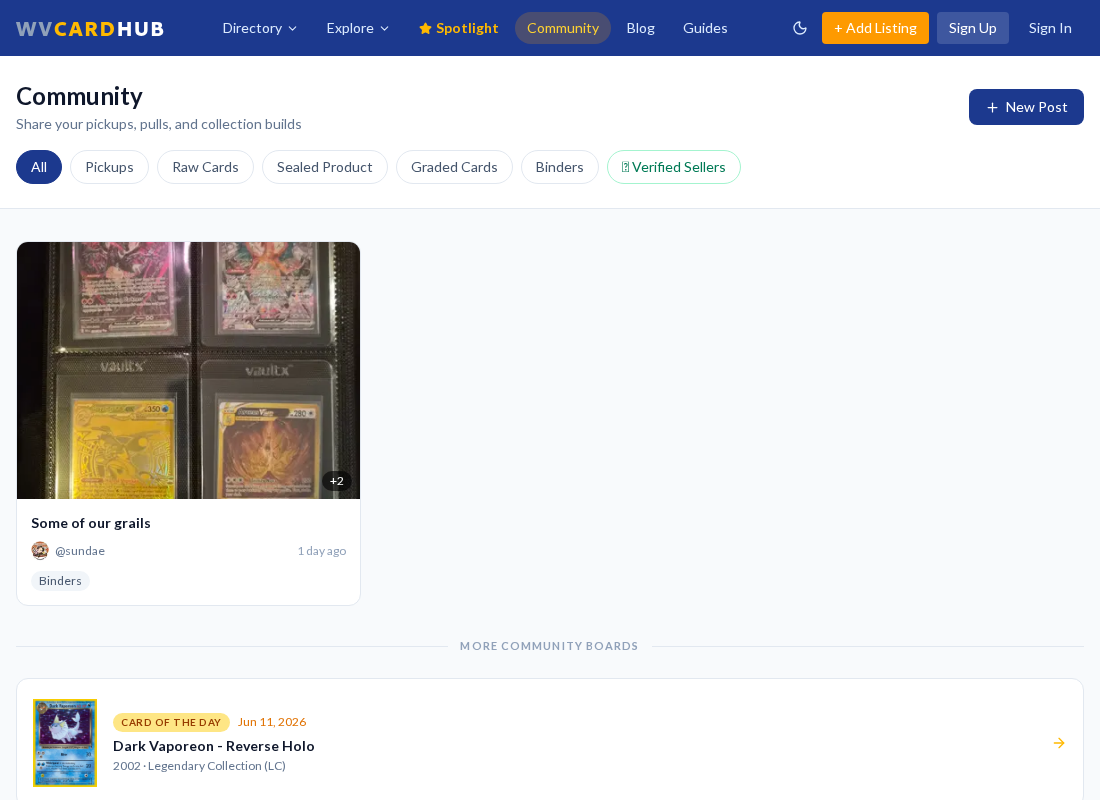
The Boards tab on the Community page is the main discussion feed. Posts are organized by category, and you can attach images to your posts. Comment on anything that catches your eye — you just need a free account.
Made a typo or want to add something? You can edit your own posts after publishing.
Card of the Day
Every day features a community-submitted card. Submit your own pick with the card name, player, year, set, a photo, and a short note about why it's cool — and it may be featured for the whole community to see.
Trades
The Trades tab is a lightweight trade board: post what you have and what you want, along with the card's condition and a photo. Other members can message you about a listed trade directly from the post.
Showcase
Pulled something great? Post it in the Showcase tab with a photo, card name, and caption. Other members can heart your post — it's the community's highlight reel.
Polls & Pokémon Investing
The Polls tab runs community votes on hobby questions — weigh in with one tap.
The Pokémon Investing tab features weekly card picks with recent sales data, grading cost estimates, and population counts to help you decide what's worth grading or picking up raw.
Keep reading
Still stuck? Ask us on Discord or check the FAQ.